
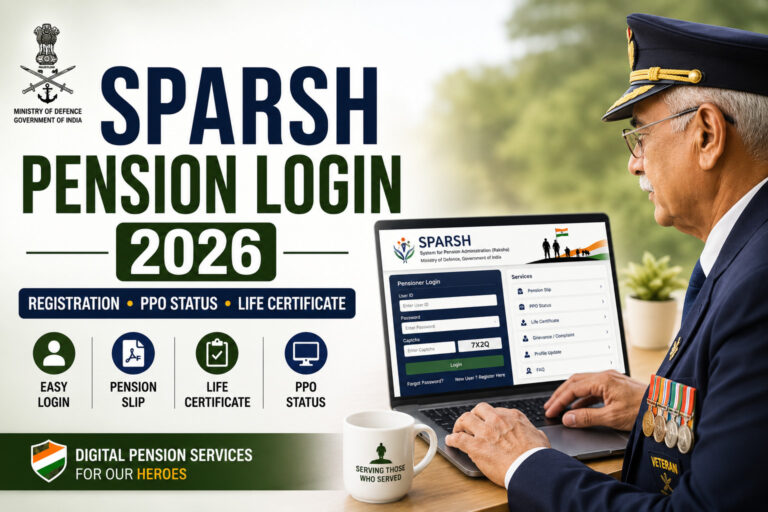
SPARSH Pension Login 2026 – Complete Guide for Defence Pensioners
Introduction
The System for Pension Administration (Raksha), popularly known as SPARSH, has transformed the way Defence Pensioners manage their pension-related services. Through the SPARSH Portal, retired Armed Forces personnel can access pension information, download pension slips, submit life certificates, update personal details, and track pension status online without visiting pension offices.
Today, thousands of Defence Pensioners search for terms such as SPARSH Pension Login, SPARSH Registration, SPARSH PPO Status, and SPARSH Life Certificate Submission. However, many pensioners still face challenges while using the portal.
This comprehensive guide explains everything you need to know about SPARSH Pension Login in 2026.
What is SPARSH?
SPARSH (System for Pension Administration Raksha) is an integrated online pension management platform developed by the Ministry of Defence.
The objective of SPARSH is to provide Defence Pensioners with:
- Online pension services
- Pension payment management
- Digital record maintenance
- Life certificate submission
- Pension grievance redressal
- Family pension management
The portal serves:
- Retired Army Personnel
- Retired Navy Personnel
- Retired Air Force Personnel
- Defence Civilians (where applicable)
- Family Pensioners
Benefits of SPARSH Portal
The SPARSH system offers several advantages:
Pension Slip Download
Access monthly pension slips anytime.
Digital PPO Access
View and download Pension Payment Orders.
Online Life Certificate
Submit life certificates digitally.
Grievance Management
Register and track pension-related complaints.
Profile Management
Update personal details without physical visits.
Family Pension Services
Manage family pension records and claims.
Who Can Use SPARSH?
SPARSH is designed for:
✔ Defence Pensioners
✔ Family Pensioners
✔ Defence Civilian Pensioners (eligible categories)
✔ Widows and Dependents receiving pension benefits
SPARSH Pension Login Process 2026
Follow these steps to access your SPARSH account.
Step 1
Open the SPARSH Pension Portal.
Step 2
Click on:
Login
Step 3
Enter:
- Username
- Password
- Captcha Code
Step 4
Complete OTP verification if prompted.
Step 5
Click:
Submit
You will now reach your pension dashboard.
SPARSH Registration Process
New pensioners must register before using portal services.
Information Required
- PPO Number
- Date of Birth
- Registered Mobile Number
- Aadhaar Details (if applicable)
- Pension Details
Registration Steps
- Open SPARSH registration page.
- Enter pension details.
- Verify identity.
- Create username and password.
- Complete OTP verification.
- Activate account.
How to Download SPARSH Pension Slip
One of the most popular features of SPARSH is pension slip download.
Steps
Step 1
Login to SPARSH Portal.
Step 2
Navigate to:
Pension Services
Step 3
Select:
Pension Slip
Step 4
Choose:
- Month
- Year
Step 5
Download PDF copy.
Uses of Pension Slip
A pension slip is often required for:
- Home Loan Applications
- Personal Loan Applications
- Vehicle Loans
- Income Tax Filing
- Visa Applications
- Financial Planning
How to Check PPO Status on SPARSH
The Pension Payment Order (PPO) is one of the most important pension documents.
Steps to Check PPO Status
- Login to SPARSH.
- Open PPO Services.
- Enter PPO details.
- View PPO status.
- Download digital copy if available.
SPARSH Life Certificate Submission 2026
Every pensioner must periodically submit a Life Certificate to continue receiving pension payments.
The SPARSH Portal has simplified this process.
Benefits
✔ No need to visit pension office.
✔ Faster verification.
✔ Reduced paperwork.
✔ Convenient digital submission.
Required Documents
- Aadhaar Details
- Mobile Number
- Pension Information
How to Update Personal Details in SPARSH
Pensioners can update various details through the portal.
Update Options
- Mobile Number
- Email Address
- Address
- Bank Account Information
- Nominee Details
Keeping records updated helps avoid payment delays.
Common SPARSH Login Problems and Solutions
Problem 1: OTP Not Received
Reasons
- Network issue
- Incorrect mobile number
- Temporary server issue
Solution
Retry after some time and verify registered details.
Problem 2: Forgot Password
Solution
Use the Forgot Password option and complete OTP verification.
Problem 3: Account Locked
Cause
Multiple incorrect login attempts.
Solution
Reset password or wait for account unlock.
Problem 4: Portal Not Opening
Solution
- Use updated browser
- Clear browser cache
- Check internet connection
SPARSH Grievance Registration
If you face pension-related issues, SPARSH provides a grievance management facility.
Common complaints include:
- Pension not credited
- PPO issues
- Family pension problems
- Data correction requests
- Bank account mismatch
The portal enables online complaint tracking and resolution.
SPARSH vs Traditional Pension System
| Feature | Traditional System | SPARSH |
|---|---|---|
| Pension Slip | Manual | Online |
| Life Certificate | Physical Visit | Digital |
| PPO Access | Limited | Instant |
| Complaint Tracking | Difficult | Online |
| Updates | Slow | Real-Time |
SPARSH significantly improves convenience and transparency.
Benefits of SPARSH for Defence Pensioners
Transparency
Real-time access to pension information.
Convenience
No need for repeated office visits.
Faster Service Delivery
Digital processing improves efficiency.
Better Record Management
Documents remain accessible anytime.
Secure Access
Protected login and authentication systems.
Tips for Smooth SPARSH Usage
Keep Mobile Number Updated
OTP-based services depend on correct mobile details.
Download Important Documents
Maintain digital and printed copies.
Check Pension Records Regularly
Identify issues before they become serious.
Update Bank Details Promptly
Avoid pension payment disruptions.
Submit Life Certificate on Time
Ensure uninterrupted pension payments.
Frequently Asked Questions (FAQs)
What is SPARSH?
SPARSH is the online pension administration system for Defence Pensioners.
Can family pensioners use SPARSH?
Yes, eligible family pensioners can access the portal.
Is SPARSH free to use?
Yes. The portal is provided free of cost.
Can I download my pension slip online?
Yes. Pension slips can be downloaded directly through SPARSH.
Can I check PPO status online?
Yes. PPO details and status can be accessed through the portal.
What if I forget my password?
Use the password recovery option available on the login page.
Conclusion
SPARSH has revolutionized pension management for Defence Pensioners by providing a secure, transparent, and user-friendly digital platform. From pension slip downloads and PPO tracking to life certificate submission and grievance management, almost every pension-related service can now be accessed online.
For Defence Pensioners and their families, understanding how to use SPARSH effectively can save time, reduce paperwork, and ensure uninterrupted pension benefits. By keeping personal information updated and regularly monitoring pension records, pensioners can make full use of the services available through SPARSH.